

Turn your garden ideas into a plan you can see, refine, and confidently bring to life.
The Verdi Garden Design Workspace gives you a guided place to organize your vision, map your outdoor spaces, and create a cohesive garden plan using 300+ professionally illustrated landscape symbols—all inside Canva.

Instant Digital Access • Editable in Canva • No Design Software Required
You Have Ideas. You Need a Way to Bring Them Together.
Pinterest boards, saved plants, and inspiration photos can help you imagine what is possible—but they do not show how everything will fit into your own space.
The Garden Design Workspace helps you move beyond collecting ideas and begin making thoughtful decisions about how your garden should function, flow, and feel.

A Thoughtful Way to Design Your Garden
-
1. DEFINE YOUR VISION
Clarify how the garden should feel and function.
-
2. MAP YOUR SPACE
Add measurements, existing features and site conditions.
-

3. BUILD YOUR GARDEN
Arrange paths, destinations, plants and features.
-
4. BRING IT TOGETHER
Track plants and create a presentation board.
One Workspace.
Your Entire Garden Story.
A guided Canva Whiteboard with everything in one place — plan, explore, refine and bring your vision to life.
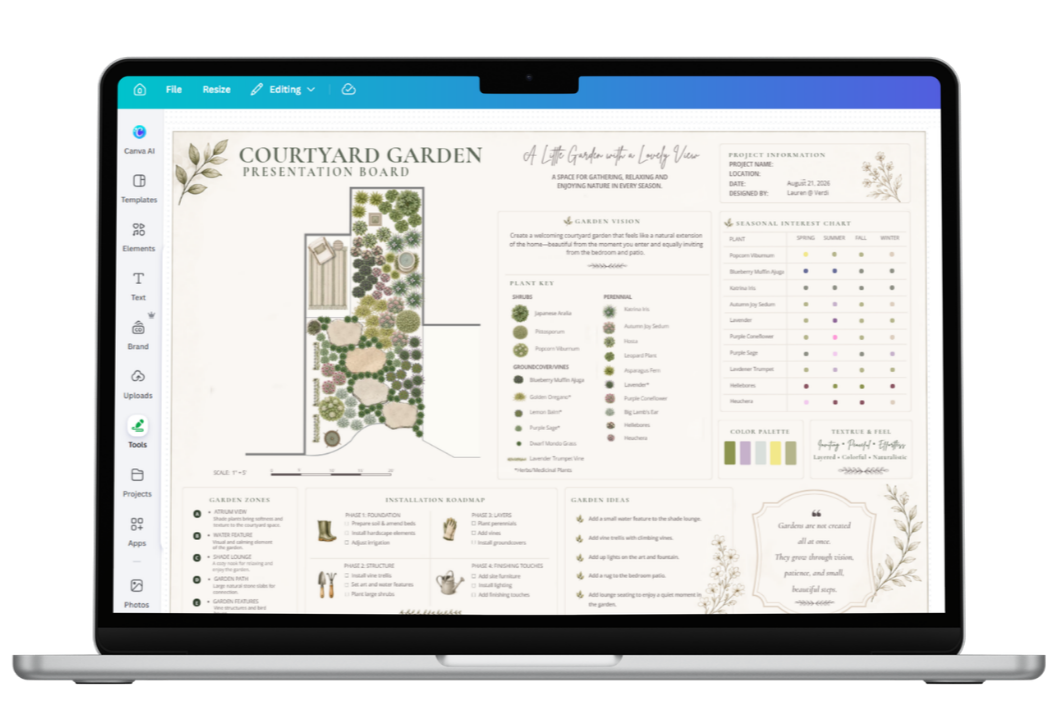
Everything You Need to Move From Ideas to Direction
-
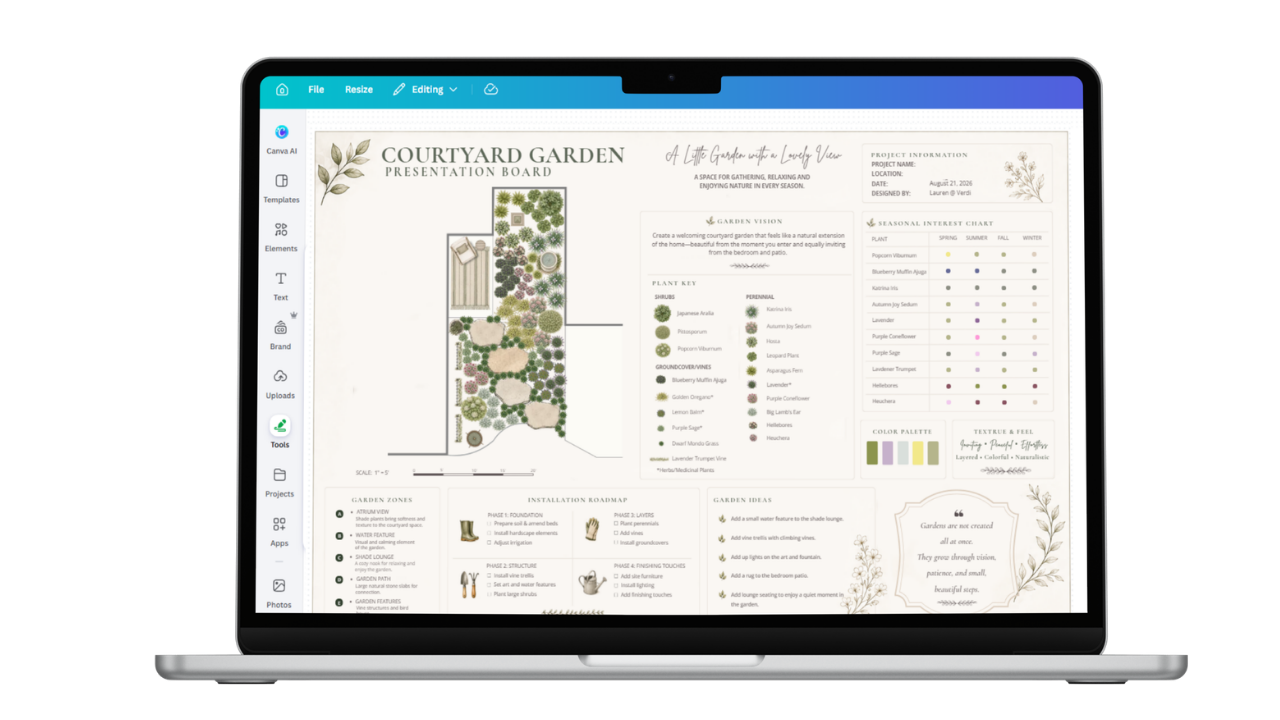
DESIGN WORKSPACE
Guided unlimited Canva Whiteboard for planning your space.
-
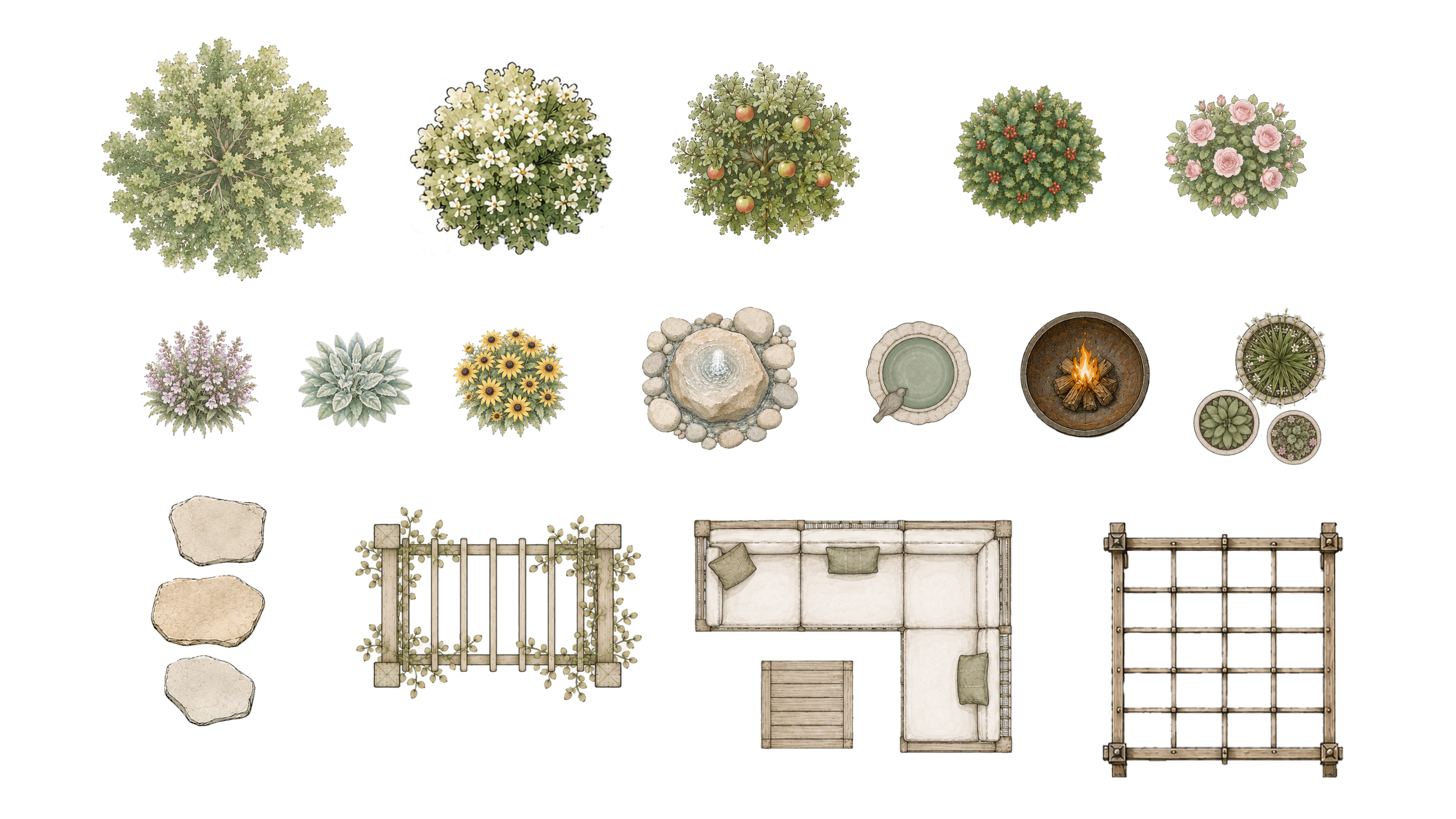
300+ SYMBOL LIBRARY
Trees, shrubs, perennials, paths, patios, structures, furnishing and more.
-
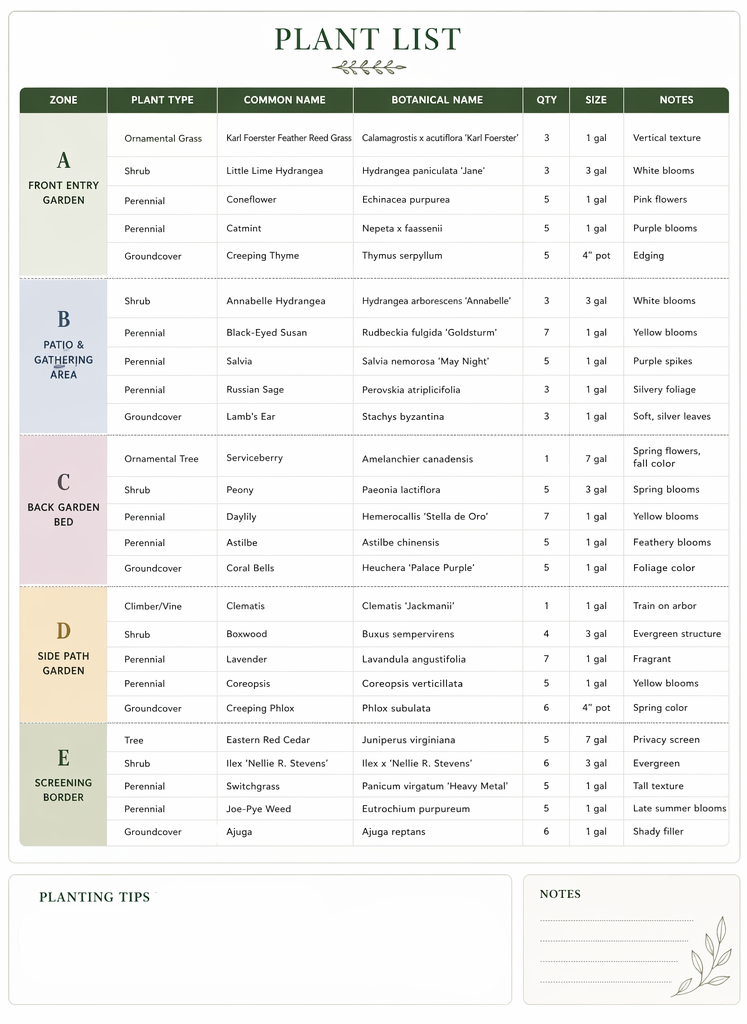
PLANT TRACKING SHEET
Organize plant choices, details quantities and more.
-
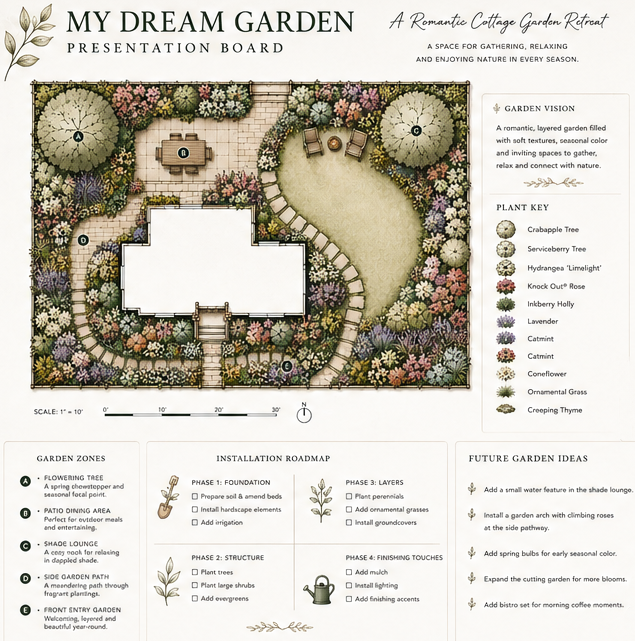
PRESENTATION BOARD
Organize plants, palettes and inspiration together beautifully.
Design With a Landscape Architect’s Visual Library
✺ Find the elements you need
✺ Copy them into your plan
✺ Adjust the size to fit your space
✺ Reuse the Workspace for more than one garden

MEET YOUR GUIDE
Professional Principles, Made Approachable
I’m Lauren Renz, a landscape architect with more than 20 years of experience designing beautiful, liveabel outdoor spaces. I created the Workspace to give homeowners a cleaner, more visual way to think through their gardens — without expecting them to become professional designers.
Lauren Renz, PLA
Landscape Architect + Founder of Verdi
A Few Helpful Details
-
No. The Garden Design Workspace can be used with a free Canva account. You will need to create or sign in to a Canva account to open, edit, and save your personal copy of the templates, but a Canva Pro subscription is not required.
-
Yes. The Garden Design Workspace was created specifically to make the design process approachable, even if you have never drawn a landscape plan or used design software before. The guided steps help you organize your ideas, map your space, and build your plan using easy-to-place landscape symbols inside Canva.
-
Yes. You can duplicate the Workspace and use it for multiple garden areas or personal projects. Create separate copies for your front yard, backyard, patio, foundation beds, or any other space you would like to explore. The template is for your personal use and may not be shared, resold, or used to create plans for clients.
-
The symbols can be copied, resized, rotated, layered, and arranged to suit your plan. Because they are finished illustrations, their individual colors and details cannot be edited. With more than 300 symbols available, you can select the plants, materials, and garden features that best represent your ideas.Item description
-
The Workspace includes more than 300 landscape symbols, including trees, shrubs, perennials, grasses, and groundcovers, along with a Plant Tracking Sheet for organizing your selections. It does not provide a prescribed plant list or calculate quantities automatically. You choose the plants and quantities that are appropriate for your garden, growing conditions, and design.
-
No. The Workspace is a hands-on design tool rather than an automatic plan generator. You will map your space and arrange the drag-and-drop landscape symbols yourself, giving you the freedom to explore ideas, make changes, and create a plan that reflects your own garden and priorities.
-
After purchase, you will receive a digital PDF containing a link to the Garden Design Workspace. The Symbol Library, Plant Tracking Sheet, and Dream Garden Presentation Board are linked within the Workspace for easy access. Open the Workspace link in Canva, then follow the instructions to save your own editable copy. No physical product will be shipped.
-
Yes. You can download your completed plan as a PDF or image and share it with a landscaper or contractor to communicate your ideas. The Workspace creates a conceptual garden plan, not construction documents. Measurements, quantities, site conditions, permitting requirements, and installation details should be verified by the appropriate professional before work begins.tem description

Your Garden is Ready for Clearer Direction
Gather your ideas, map your space and begin crating a plan that feels like you.